
A weighted grade is an average where some items count more than others. A GPA is the same idea applied to courses: multiply each course’s grade points by its credits, add the results, and divide by total credits. The hard part is not the arithmetic; it is using the right scale for your school.
Lutrakit has a free Grade Calculator and GPA Calculator with no account required. The calculators run in the browser and do not need student records or sign-in data. Use them for planning and checking your own math, not as a substitute for your registrar, syllabus, or official transcript.
How weighted grades work
You do not need to begin with a formula. List each completed item, its score and how much it counts. The calculator combines the rows while giving more influence to the items with larger weights.
| Item | Score | Weight |
|---|---|---|
| Homework | 92 | 15% |
| Quizzes | 84 | 20% |
| Midterm | 76 | 25% |
| Project | 88 | 10% |
These completed items account for 70% of the course. Together they give a current grade of 83.43%. That is the useful result; the calculator handles the multiplication and division behind it.
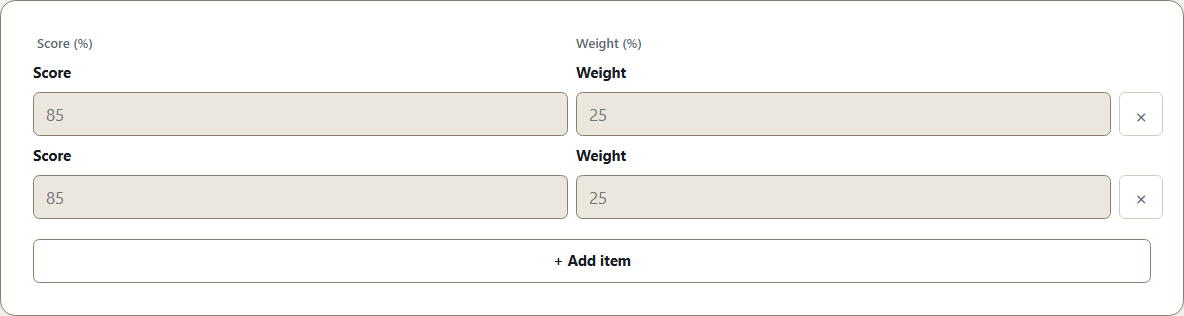
In Grade Calculator, add one row for each graded item. The current tool accepts scores and weights from 0 to 100, with total entered weight no greater than 100.
What score do you need on the final?
Suppose your current grade is 83.43%, completed work counts for 70% and the final counts for the remaining 30%. To finish with 85%, the calculator says you need 88.67%, so a practical target is about 89%.
Sometimes the answer is above 100%. For example, starting from 62% after 75% of the course and aiming for 75% would require 114% on the final. That means the target cannot be reached through that exam alone unless the syllabus includes extra credit, replacement rules or dropped scores.
How GPA works
For GPA, enter each course’s credits and grade points. A four-credit course affects the result more than a one-credit course.
| Course | Credits | Grade | Grade points |
|---|---|---|---|
| Calculus II | 4 | A- | 3.7 |
| Chemistry | 4 | B+ | 3.3 |
| World History | 3 | A | 4.0 |
| Composition | 3 | B | 3.0 |
| Physical Education | 1 | A+ | 4.0 |
On Lutrakit’s 4.0-capped scale, those five rows produce a GPA of 3.53.
The scale matters more than the arithmetic. Cornell’s ILR School, for example, publishes a table where A+ is 4.3, while Lutrakit’s current calculator treats A+ and A as 4.0 (Cornell ILR Academic Grades and Notations, accessed 2026-08-17). If your institution uses 4.3, 5.0 or another system, use its official calculator or conversion policy.
Current Lutrakit limits: when the 4.0 cap is unsuitable
The current GPA Calculator is intentionally simple: 0-4.0 grade points, the built-in A+ = A = 4.0 table, up to 100 courses, and up to 1,000 credits or units per course. That makes it useful for checking a standard 4.0 semester average, but not for every institutional rule.
| Your situation | Use Lutrakit’s GPA tool? | Safer action |
|---|---|---|
| Standard 4.0 scale where A+ does not exceed 4.0 | Yes, as a planning/checking tool | Enter each course’s credits and letter/points, then compare total credits. |
| Institution uses A+ = 4.3 | Not for the exact official GPA | Use the registrar’s calculator or a spreadsheet that accepts 4.3. |
| High school weighted GPA, honors/AP/IB up to 4.5 or 5.0 | Not for the weighted GPA | Use the school’s weighted table; Lutrakit’s current GPA input rejects values above 4.0. |
| Spain 0-10, France 0-20, Japan GP rules, or another non-4.0 system | Only after an official conversion to 0-4.0, if one is actually required | Do not invent a linear conversion; use the receiving institution’s policy. |
| Pass/fail, satisfactory/unsatisfactory, withdrawn, incomplete, audit, or ungraded credits | Only if you already know how the institution treats them | Exclude or include them exactly as the registrar policy says. |
| Repeated courses | Not by itself | Decide first whether the old attempt is replaced, averaged, excluded, or kept. |
The Grade Calculator has a different scope. It works with 0-100 scores and weights for one course. It is not a transcript GPA tool, and it does not know letter-grade conversions, repeated-course rules, or institutional rounding policies.
Scales are policy, not universal math
The average formula travels well, but grade scales do not. Spain’s national university grading regulation sets numeric marks from 0 to 10 with bands such as 5.0-6.9 Aprobado, 7.0-8.9 Notable, and 9.0-10 Sobresaliente; it also limits Matrícula de Honor awards (BOE Real Decreto 1125/2003, accessed 2026-08-17). Japanese universities also publish their own GPA rules. Kyushu University, for example, describes GPA as grade points multiplied by credits and divided by total credit value, with grades converted to points between four and zero (Kyushu University GPA System, accessed 2026-08-17).
Those official examples do not authorize a universal conversion table. A Spanish 8/10 is not automatically 3.2/4.0, and a Japanese S grade is not automatically the same as a US A+ for admissions or scholarship decisions. If a conversion matters, use the receiving institution’s published policy.
Edge cases that change the answer
The calculation is transparent, but the row list is a policy decision. These are the cases that most often make a hand GPA disagree with a transcript:
| Edge case | What can happen | How to handle it before using a calculator |
|---|---|---|
| Pass/fail course | A pass may earn credits toward graduation but no GPA points; a fail may or may not be included as zero. | Read the policy. If the pass is excluded from GPA, omit both its credits and points. |
| Repeated course | Some institutions replace the old grade; others average both attempts or keep both on the GPA. | Decide which attempts count before entering rows. |
| Rounding vs truncation | A calculator may show 3.536 as 3.54, while a transcript may truncate to 3.53 or round at a different step. | Keep full precision until the last step, then apply the official decimal rule. |
| Scale mismatch | A 4.3, 5.0, 10-point, or 20-point scale does not fit a 4.0-capped input. | Stop and use the official conversion or a custom spreadsheet. |
| Missing or extra weights | A syllabus may say “best 10 of 12 quizzes” or “final replaces midterm if higher.” | Compute the included items first; do not enter rows that the policy drops. |
A simpler pass/fail and repeat example
Suppose Biology, Design Studio and a repeated Algebra course count toward the GPA, while a one-credit pass/fail lab does not.
| Institution policy | Rows included | Result |
|---|---|---|
| The new Algebra grade replaces the old attempt | Biology, Design Studio, Algebra repeat | 3.49 |
| Both Algebra attempts remain in the GPA | The same rows plus the first Algebra attempt | 2.92 |
The visible grades have not changed; only the institution’s repeat policy has. Including the pass/fail credit without grade points would produce a third, incorrect answer. Decide which rows count before entering anything.
Verification checklist
- Confirm the syllabus weights before using the grade calculator.
- Make sure entered weights add to the completed portion, and completed plus final weight equals 100 when solving for a final.
- For GPA, confirm whether your school uses 4.0, 4.3, 5.0, 10, 20, pass/fail exclusions, repeated-course rules, or ungraded credits.
- Recalculate one row by hand:
score × weightorpoints × credits. - Compare the calculator’s total weight or total credits with your own list.
- Treat screenshots of calculator results as planning notes, not official records.
Limits and when not to use this
Do not use this method alone for academic standing, graduation eligibility, financial aid, admissions, or visa documentation. Institutional rules can exclude courses, truncate decimals, replace repeated grades, weight honors courses, or handle failures differently. The calculator is useful for transparent arithmetic; the official policy decides which numbers belong in the arithmetic.